1
Get the Windows package
Download the official DreMart Windows package from this page and extract it on your computer.
Use the DreMart Monero Miner to start or stop CPU mining anytime, follow your own worker statistics, and track real mining rewards in one clear desktop app.
Mining is always user-controlled. The app does not start mining without your action.
Install the app, enter your Monero payout address or use the built-in wallet, choose your CPU target, then start mining.
Download the official DreMart Windows package from this page and extract it on your computer.
Create or open your Monero wallet, or enter your payout address, then choose how much CPU you want the miner to use.
Click Start Mining and monitor worker hashrate, shares, hashes and real allocated XMR rewards from the desktop dashboard.
The app separates mining activity, worker statistics and reward accounting so customers can clearly understand what belongs to their worker.
See worker hashrate, accepted shares, rejected shares and total hashes reported for your mining worker.
See your allocated mining reward, 5% service fee, available balance and completed withdrawals.
Create or open a local Monero wallet, receive XMR, check balance and send funds when your wallet is unlocked.

Download directly from the official DreMart website. Mining starts only when you choose to start it, and you can stop it anytime.
Cryptocurrency mining software can be flagged by antivirus products because miners use CPU resources heavily. Download only from this official DreMart page. Review any security warning before running a file. Do not disable antivirus protection blindly.
Simple dashboard for controlling mining and viewing your worker activity.
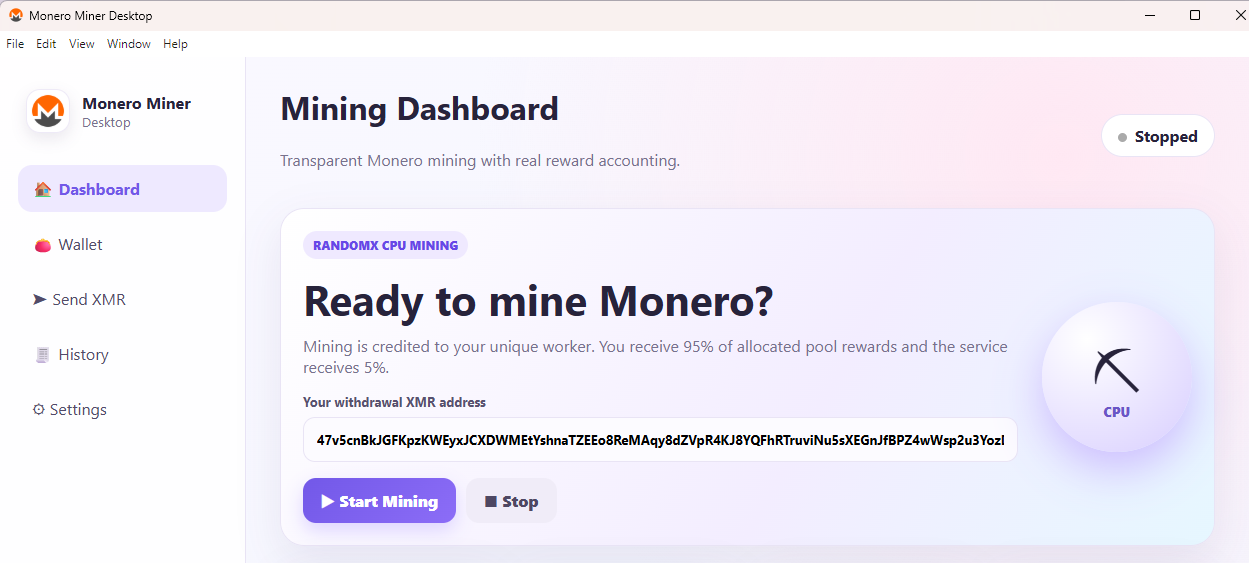
Download the Windows ZIP package, extract it, and run the included installer. This page does not automatically download or launch an executable.